Introduction: Understanding the Problem
The “Vite manifest not found at manifest.json” error in Laravel projects is a common issue faced by developers. This problem arises when Laravel fails to locate the Vite manifest file, crucial for asset management.
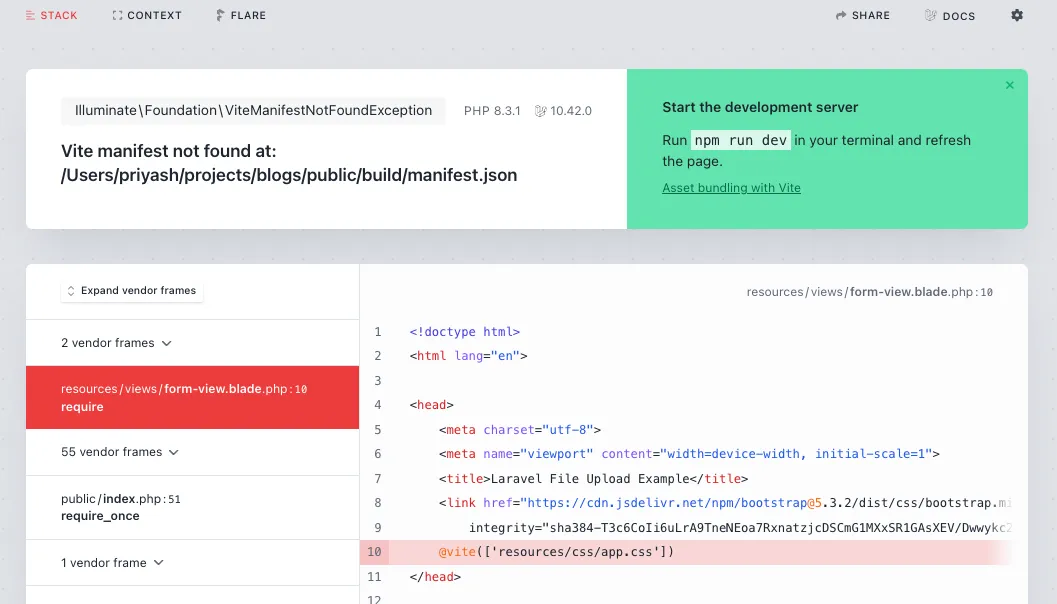
Common Causes and Solutions
The issue may have multiple causes, but the following should resolve it:
Ensuring Proper Installation and Build Commands
The most straightforward solution is often running the right npm commands. For local or development environment run:
npm install && npm run dev
And for production environment run:
npm install && npm run build
This sets up your project correctly by installing the necessary packages and building assets.
Handling Production and Development Environments
In a development server, running npm run dev starts a server that reflects changes in real-time. For a production server, the focus shifts to optimizing assets for deployment. If SSH access is available, running npm run build on the server should resolve the error. In cases where building on the server isn’t feasible, assets can be pre-built and included in version control by adjusting the .gitignore file.
Clearing Cache and Upgrading Vite
Sometimes, Laravel caches outdated configuration files. Running php artisan config:clear along with other cache-clearing commands can refresh these configurations. Additionally, ensuring Vite is up to date with npm install vite@latest --save-dev can prevent compatibility issues.
Setting Up Public Directory Permissions and Checking Asset URLs
Ensuring the public directory has the correct permissions (usually 755) is crucial for Laravel to access and serve assets correctly. If the error persists, verifying that the asset URLs in your application are correct is another vital step.
Conclusion
Troubleshooting the “Vite manifest not found” error involves a series of checks and commands, from ensuring proper npm installations to configuring production and development environments correctly. Clearing cache, updating Vite, setting directory permissions, and verifying asset URLs are essential steps in resolving this issue.